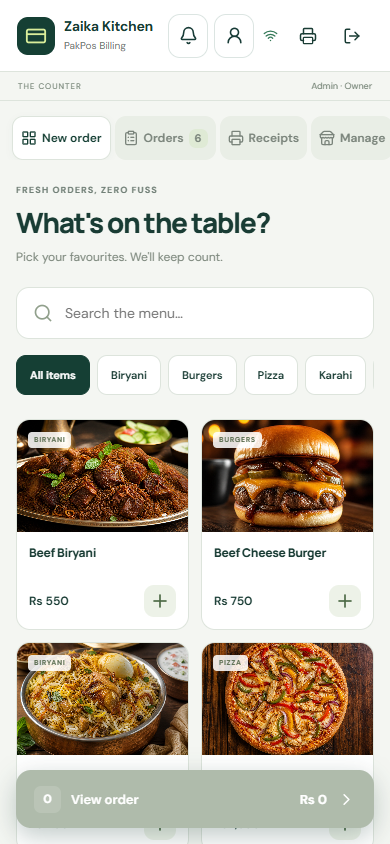
Mobile Billing
Build bills with a few taps. Print on a compatible Bluetooth printer or the printer connected to your Windows POS.
 Chat on WhatsApp ↗
FOR RESTAURANTS & CAFÉS IN PAKISTAN
From counter to kitchen. From waiter to rider.
Bring your restaurant together with PakPos.
Windows POS · One Android team app · Monthly subscription
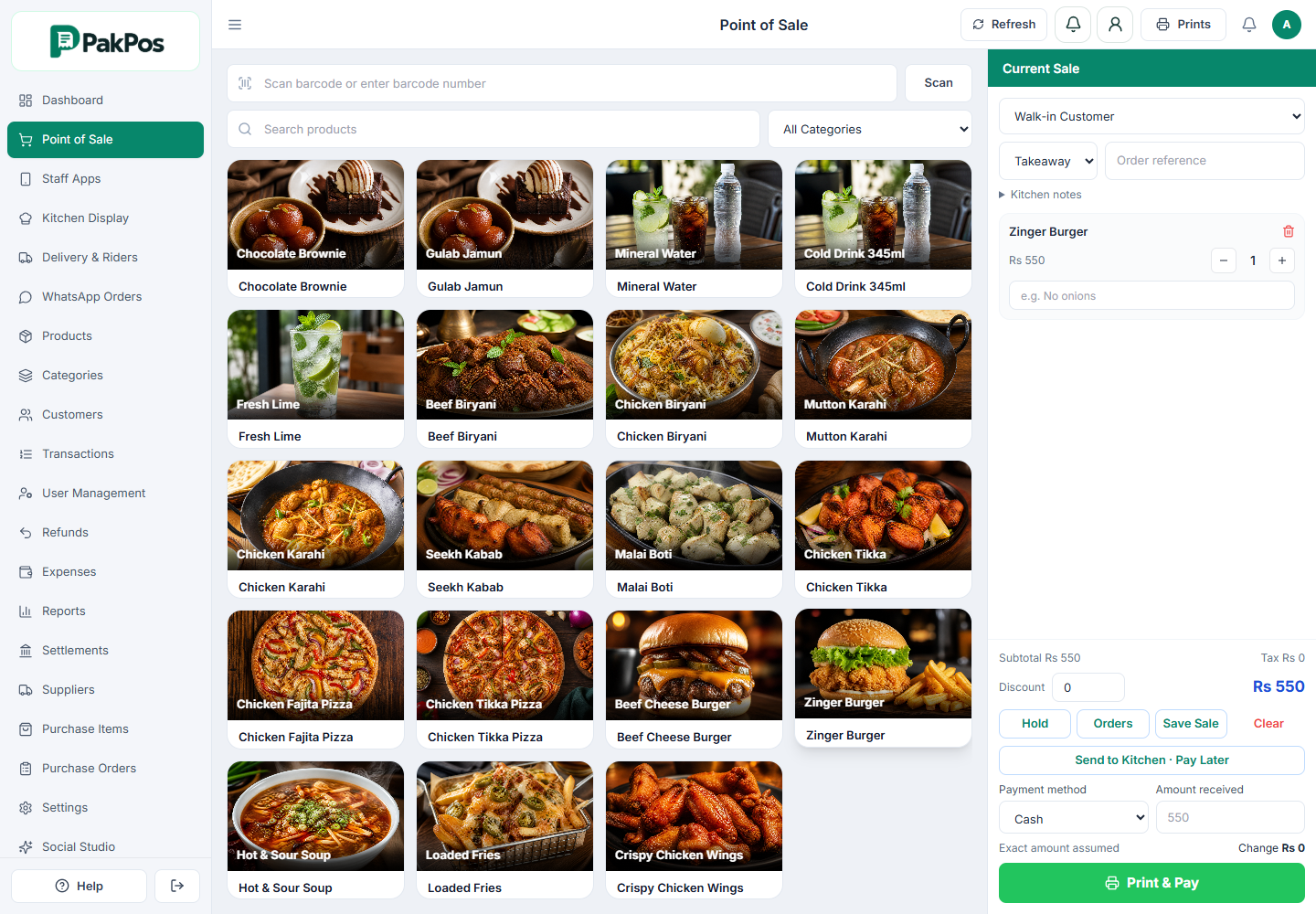
Actual app screens · Sample restaurant data
EVERY STEP OF SERVICE
Keep orders moving without repeated calls across the floor. Give each team member a clear screen for their role.
Dine-in, takeaway and delivery orders, with flexible receipts and clear payment records.
ONE APP. EVERY ROLE.
Connect your restaurant once with its client code. Staff sign in with their own accounts and see the tools they need.
Build bills with a few taps. Print on a compatible Bluetooth printer or the printer connected to your Windows POS.
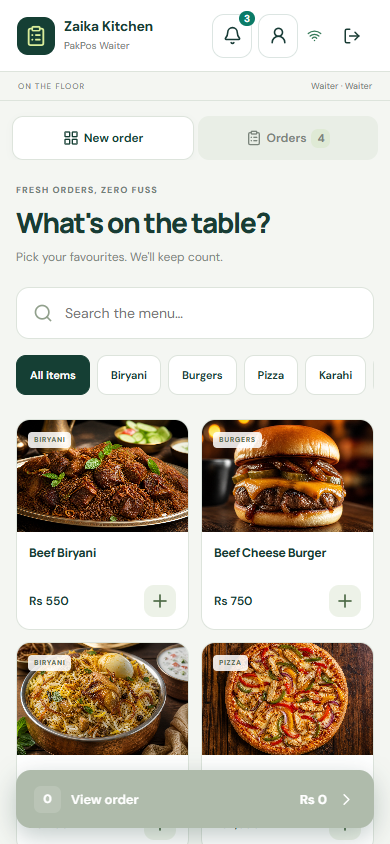
Enter a table and send the order to the kitchen. Add another round and receive an alert when food is ready.
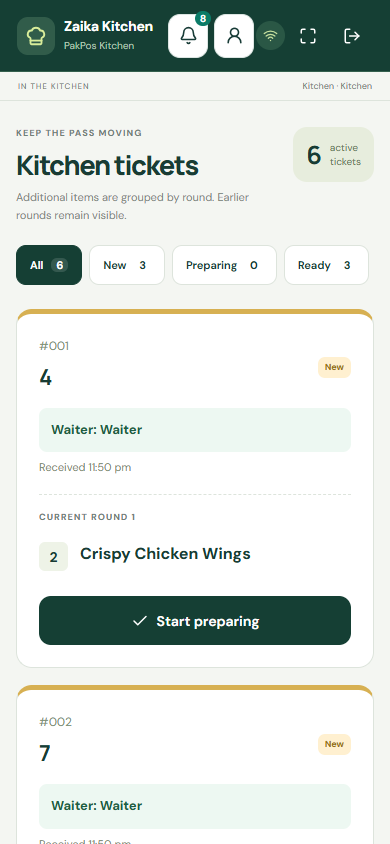
See the table, waiter and assigned rider on each ticket. Move orders from preparation to ready and served.
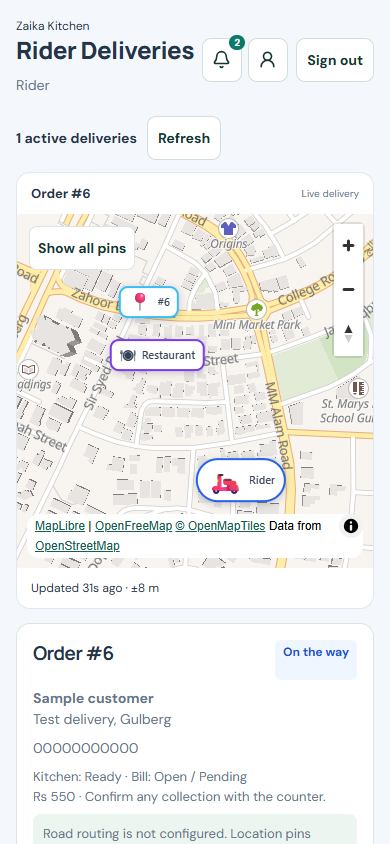
Accept assignments, see the customer location and share delivery progress. Hand over a duty when your shift changes.
We help you choose a setup for your team and check printer compatibility before you start.
MORE ROOM TO GROW
Choose optional tools when you need them. Put your existing menu and deals to work beyond the counter.
Answer questions using your restaurant menu, prices and deals. Turn customer conversations into orders with your connected WhatsApp account.
Ask about WhatsApp Orders ↗Create posts for your deals, upload images or videos, add music and adjust its volume. Manage publishing to connected social accounts.
Ask about Social Studio ↗Optional messaging and social tools require account setup. Any separate service charges are explained in your quote. Foodpanda tools cover commission and settlement records; automatic Foodpanda order import is not included.
MAKE YOUR FIRST MONTH COUNT
Affordable monthly plans.
A clear quote for your restaurant and team.
Requires a 3-month subscription. This is not a standalone free trial. Your price and payment schedule are confirmed in writing before signup.
YOUR QUESTIONS, ANSWERED
Yes, with our connected mobile setup and a compatible printer. We check your internet connection and printing arrangement during setup so you know what to expect.
PakPos supports compatible Bluetooth thermal printers and printers installed on Windows. We confirm your specific printer with a test receipt during setup.
Yes. Assign an order, see its delivery progress and follow the rider’s shared location. Riders need location permission and an internet connection. Your delivery setup is checked before use.
Your first month is free when you take a 3-month subscription. We confirm the plan price, included services and payment schedule before signup.
Yes. Connect each device to your restaurant once, then use individual staff logins. Manage accounts and permissions from your Windows POS.
PakPos includes configurable FBR sandbox setup and test tools. Live reporting is a separate onboarding step that requires the restaurant’s applicable registration, credentials and authorised integration arrangement. A sandbox test is not proof of live approval.
SEE PAKPOS IN ACTION
Real PakPos screens. A guided Urdu walkthrough. Watch the full demo or jump straight to the part your team needs.
A practical walkthrough of the PakPos restaurant workflow.
One Android app contains Billing, Waiter, Kitchen and Rider. Access follows the staff account.
A compatible Bluetooth printer can serve mobile billing; Windows printer routing needs the PC running.
Waiters use their own account; the table and responsible waiter stay with the ticket.
Ready alerts are routed to the assigned waiter or rider. Phone alerts need permission and connectivity.
Customer details appear above the rider map. Road routes and shared GPS depend on location setup and connectivity.
History keeps the recipient, order value and timeline. Duty transfers require the receiving staff member to accept.
Foodpanda tools record commission and settlement information; automatic Foodpanda order import is not included.
Reports use the selected period and filters. Figures shown here are sample restaurant data.
Optional Windows tools need compatible connected accounts and API setup. Provider and platform charges may apply.
Setup and sandbox validation are available. Live reporting still requires the correct authority, credentials and licensed integrator onboarding.
Book your restaurant demo at automatewithshahrukh.com/pakpos. Offer: first month free with a 3-month subscription.
Optional WhatsApp and social tools need account setup. Mobile printing depends on your printer and connection. We confirm your setup before you start.
PAKPOS 1.3.3
Install PakPos, connect your restaurant with its client code, and sign in with your own staff account.
Your complete workspace for billing, stock, reports and staff management. Optional WhatsApp and Social Studio tools run on this computer.
Download Windows setup Windows 10 / 11 · 64-bit · Version 1.3.3Counter, waiter, kitchen and rider tools in one app. Each person signs in with the account and permissions created for them.
Download Android app Android 7 or later · Signed APK · Version 1.3.3Internet is required for connected billing and staff updates. Android staff apps keep working when the Windows PC is off. Printing needs a compatible printer; laptop printer routing needs the PC to be running.
Mobile billing only? Choose New restaurant in the Android app using your issued client code. Existing restaurants should connect with their current account.
View file checksumsLET’S TALK ABOUT YOUR RESTAURANT
Tell us about your counter, staff and printer. Talk directly to our team on WhatsApp for a guided demo and your subscription quote.
Opens a chat with Automate with Shahrukh. You can review your message before sending.